
DMC Software Comparison 2026: What Sri Lankan DMCs Need
Most tour operator software was built for Western agencies. What Sri Lankan DMCs actually need in 2026, how generic tools, purpose-built software and spreadsheets compare, and what each really costs.
Travify Team
Travel Operations Experts · April 13, 2026 · Updated October 6, 2026
In short: Most tour operator software is built for outbound agencies in Europe and North America, so it struggles with what a Sri Lankan DMC does daily: cost in LKR, sell in USD, calculate transport by mileage, issue hotel and supplier vouchers, and pay per company rather than per seat. In 2026 the choice is between generic global tools, purpose-built DMC software such as Travify, and the spreadsheets most operators use today.
Choosing software is one of the most consequential decisions a DMC (destination management company: the local operator that builds and runs tours for inbound visitors) will make. The right tool shortens quoting, protects margins and removes hours of manual work. The wrong one becomes a second system running alongside the spreadsheets it was meant to replace. This guide sets out what Sri Lankan DMCs need in 2026, compares the three realistic options, and gives a checklist for testing any product against a real booking.
Key takeaways
- Generic global tools assume one base currency and package-level pricing; Sri Lankan DMCs need LKR costs, a USD selling price and mileage-based transport costing on every quote.
- Three approaches are worth comparing in 2026: generic global software, purpose-built DMC software, and the spreadsheet-plus-Word setup most operators still run.
- "Good enough" software is expensive because every gap (transport costing, vouchers, settlement) is filled with a parallel spreadsheet and double data entry.
- Per-seat pricing punishes seasonal hiring; Travify charges a flat monthly plan per company, from $24 for 2 users to $1,200 and up for 30 users, each starting with a free trial.
- Test any candidate with a real inquiry: build the costing, generate the hotel voucher and invoice, and send them from your own email before you decide.
Why does generic tour operator software fail Sri Lankan DMCs?
Generic tour operator software fails Sri Lankan DMCs because it was designed for outbound sellers in developed markets, not for an inbound tour operator that costs local suppliers in rupees and quotes foreign travel agents in dollars. A UK agency selling Spain packages and a Colombo DMC building a 12-night Sigiriya, Kandy, Ella and Yala round trip for a German B2B agent run on different data, documents and currencies.
- Currency handling: most global tools run on one base currency with conversion applied at the end. A Sri Lankan DMC costs hotels, guides and vehicles in LKR (where suppliers are paid) and sells to the B2B travel agent abroad (the overseas agency that resells your tours) in USD, so the costing itself must carry both the LKR cost and the USD selling price at a stated rate.
- Supplier management: global tools assume hotel chains and GDS-connected suppliers with standardised rate sheets. Sri Lankan DMCs work with independent hoteliers who send seasonal rates as PDFs or WhatsApp messages, freelance chauffeur-guides, vehicle owners and activity providers without any booking system.
- Voucher workflows: an inbound DMC must issue a hotel voucher (the room confirmation sent to the property) and a supplier voucher to each service provider, then chase confirmations before the cancellation deadline. Most global tools offer a single generic document template, or none.
- Costing granularity: a Sri Lankan package needs per-night accommodation with seasonal rates and meal plans, transport by kilometre and vehicle type, per-person or per-group activities, daily guide fees, markup and VAT. Package-level costing cannot express this, which is why manual mileage calculation survives in so many offices.
- Pricing model: enterprise platforms are usually priced per user per month at rates set for Western agency budgets. For a five-person DMC with seasonal cash flow, a per-seat bill can rival the operating margin of a quiet month.
The most expensive software purchase is the one that demos well but does not fit the workflow. A DMC that implements a global tool and still runs transport costing, voucher creation or LKR cost tracking in spreadsheets pays twice: once for the subscription and again in duplicate data entry.
Which features should a Sri Lankan DMC require in its software?
A Sri Lankan DMC should require three things before anything else: a costing engine that mirrors how a package is actually priced, document generation for every audience, and a CRM that covers hotels, agents, suppliers, guides and vehicles. Everything else is a nice-to-have; these three decide whether the software replaces manual work or adds to it.
Tour costing and pricing
Costing is the core of a DMC and the first place generic software simplifies too much. The costing module should handle:
- Accommodation by room type, meal plan and seasonal rate, with per-night totals calculated for the stay
- Transport by route distance, with per-kilometre rates by vehicle type (car, van, SUV, coach)
- Activities priced per person or per group, with the supplier cost recorded against each line
- Guide fees by day, in LKR
- Other expenses and supplements as reusable catalogue items
- Markup percentage and VAT applied on the cost base, both configurable (VAT is currently 18% in Sri Lanka)
- Draft, Active and Archived costing versions per booking, so alternatives can be compared while only one is live
- LKR costs with a per-costing LKR to USD rate that produces the USD selling price
Voucher and document generation
Document generation is where DMCs lose the most hours, because every booking produces documents for hotels, suppliers, guides and the client, and most teams still build them in Word. Require:
- Hotel vouchers with check-in and check-out dates, room types, meal plans and special requests, plus a way to record the hotel's confirmation
- Supplier vouchers for activity providers, transport operators and other services
- A client-facing confirmation voucher built from the active costing and itinerary, so the client sees the route and hotels as booked
- A branded day-by-day client itinerary with hotels, activities and photos that can be shared by link or downloaded
- Invoices with line items, discount, tax, recorded payments and balance due
- Transport documents for the guide and driver: guide itinerary, tour advance sheet and technical visits
- Sending from the company's own Gmail or Outlook address, with the send history kept on the document
CRM and relationship management
A DMC runs on relationships, so the CRM must hold every party in a booking, not just the customer:
- Hotels with contact details, room types and seasonal rates taken from the actual contract or offer
- Travel agents grouped by company, with booking history and performance figures
- Suppliers by service category, with payment terms
- Guides with licence type, languages and daily rates; vehicles with category, seat count, mileage rate and insurance
- Customers with traveler profiles, traveler information forms and review requests
How do generic tools, purpose-built DMC software and spreadsheets compare?
Compared capability by capability, purpose-built DMC software is the only option of the three that handles LKR-to-USD costing, mileage-based transport and voucher workflows without workarounds. Product names change every year, so the table compares approaches rather than vendors. Most Sri Lankan operators sit in the right-hand column and are weighing one of the other two.
| Capability | Generic global tool | Purpose-built DMC software | Spreadsheets and Word |
|---|---|---|---|
| LKR costs with USD selling price | Single base currency, conversion at the end | Both carried on every costing at a stated rate | Manual conversion, rate errors common |
| Tour costing granularity | Simplified, often package-level only | Accommodation, transport, activities, guides and other expenses as separate lines | Flexible but formula-fragile |
| Mileage-based transport costing | Rarely supported | Automatic distance by vehicle type at per-km rates | Google Maps plus a calculator |
| Hotel and supplier vouchers | Generic document template at best | Dedicated vouchers with confirmation tracking and reminders | Word templates, retyped per booking |
| Local supplier management | Built for chains and GDS-connected suppliers | Hotels, guides, vehicles and small suppliers in one directory | Contact lists and phone books |
| Email integration | Varies by product | Sends from your own Gmail or Outlook, send history recorded | Manual compose and attach |
| AI assistance | Little that is tour-specific | Booking extraction from emails, costing auto-fill, rate-document reading, itinerary descriptions in the company's own tone, in-app assistant | None |
| Settlement tracking | Basic payment recording | Automatic settlement per completed booking: planned vs actual costs with the variance per category | Separate reconciliation sheet |
| Reporting | Generic business reports | Overview, Bookings, Hotels, Agents, Financial and Customers tabs: P&L by departure month, margin by market and agent, aging | Pivot tables, if someone can build them |
| Roles and permissions | Enterprise-grade, complex to set up | Departments (Travels, Transport, Procurement, Finance) with job-title access levels and markets | Shared files, no access control |
| Pricing model | Per user, per month | Flat monthly plan per company with users included | No licence fee, large hidden labour cost |
| Time to go live | Often months, with paid training | Days to weeks: directories imported from existing spreadsheets | Already in use, with its limits |
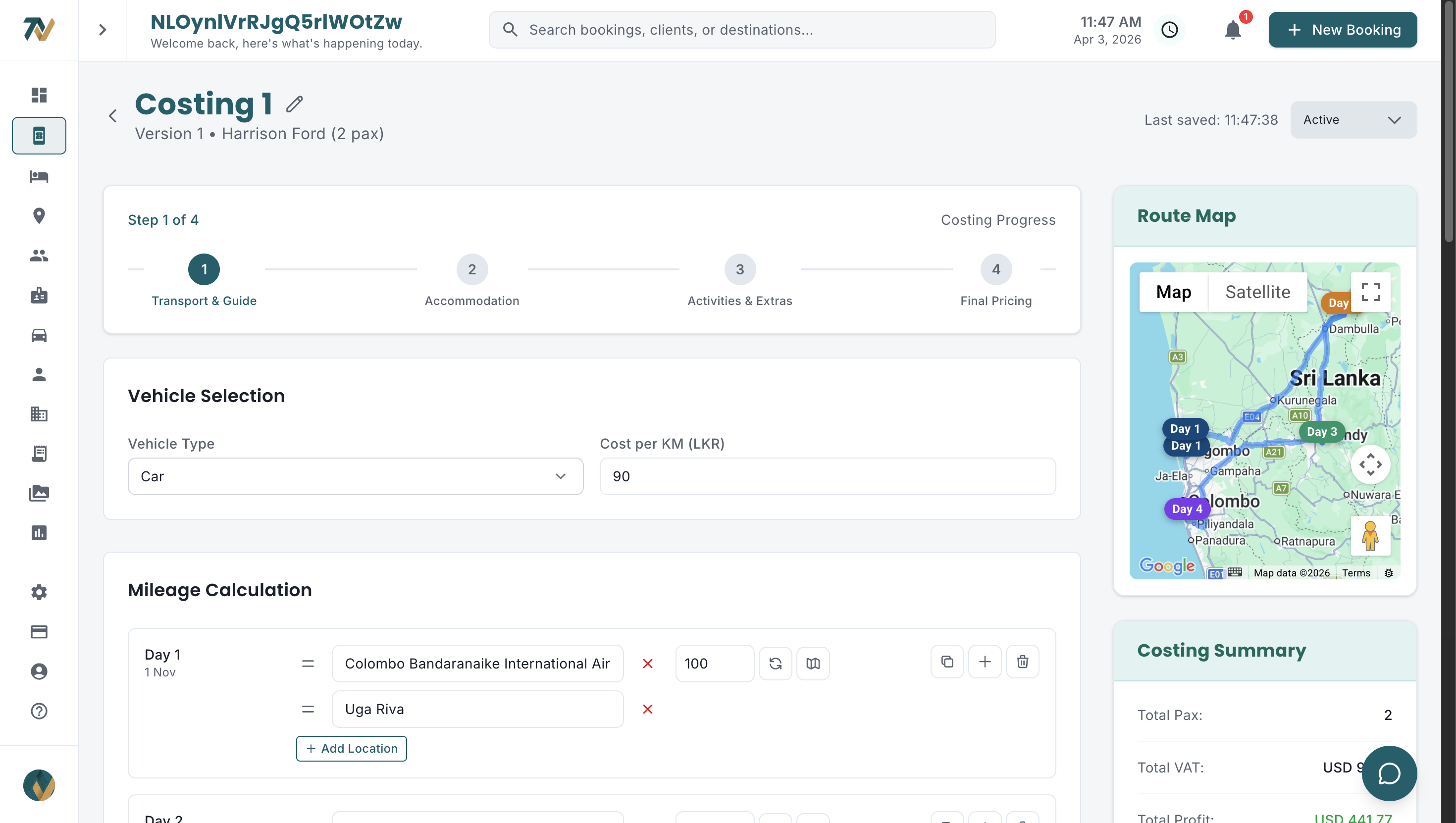
Spreadsheets look free. Add up the hours your team spends each week retyping rates, formatting vouchers, converting currencies and fixing formula errors, then multiply by what those hours cost in salary. For most DMCs the result is a monthly figure that rivals a software subscription, before counting quotes lost to slow replies. Why Excel is killing your tour costing walks through the failure modes.
What does "good enough" software really cost a DMC?
"Good enough" software costs a DMC more than its subscription because every uncovered workflow becomes a parallel spreadsheet, and parallel spreadsheets mean double entry and mismatched numbers. Mid-range global tools are the usual culprit: they handle bookings and basic quotes, then stop short of the Sri Lanka-specific parts.
- Costing lives in the software, but transport is calculated in a separate sheet because the tool cannot cost by kilometre and vehicle type
- Bookings are tracked in the system, but hotel and supplier vouchers are still built in Word
- Quotes come out in one currency, so the LKR cost base and the USD selling price are reconciled by hand
- Reports exist but cannot show margin by agent or hotel confirmation rates, so data is exported to Excel anyway
- Half the team works in the tool and half in spreadsheets, so nobody fully trusts either set of numbers
The real cost of software is the subscription plus the hours spent working around its gaps, the errors that creep in when the same booking exists in two places, and the decisions made without a clear view of margin.
How does Travify handle Sri Lankan DMC workflows?
Travify is web-based travel operations software built for Sri Lankan DMCs and inbound tour operators, so the LKR-to-USD costing model, vouchers, transport and settlement workflows above are defaults rather than customisations. Here is how each maps to daily work; the solutions overview covers every module.
Guided tour costing with AI auto-fill
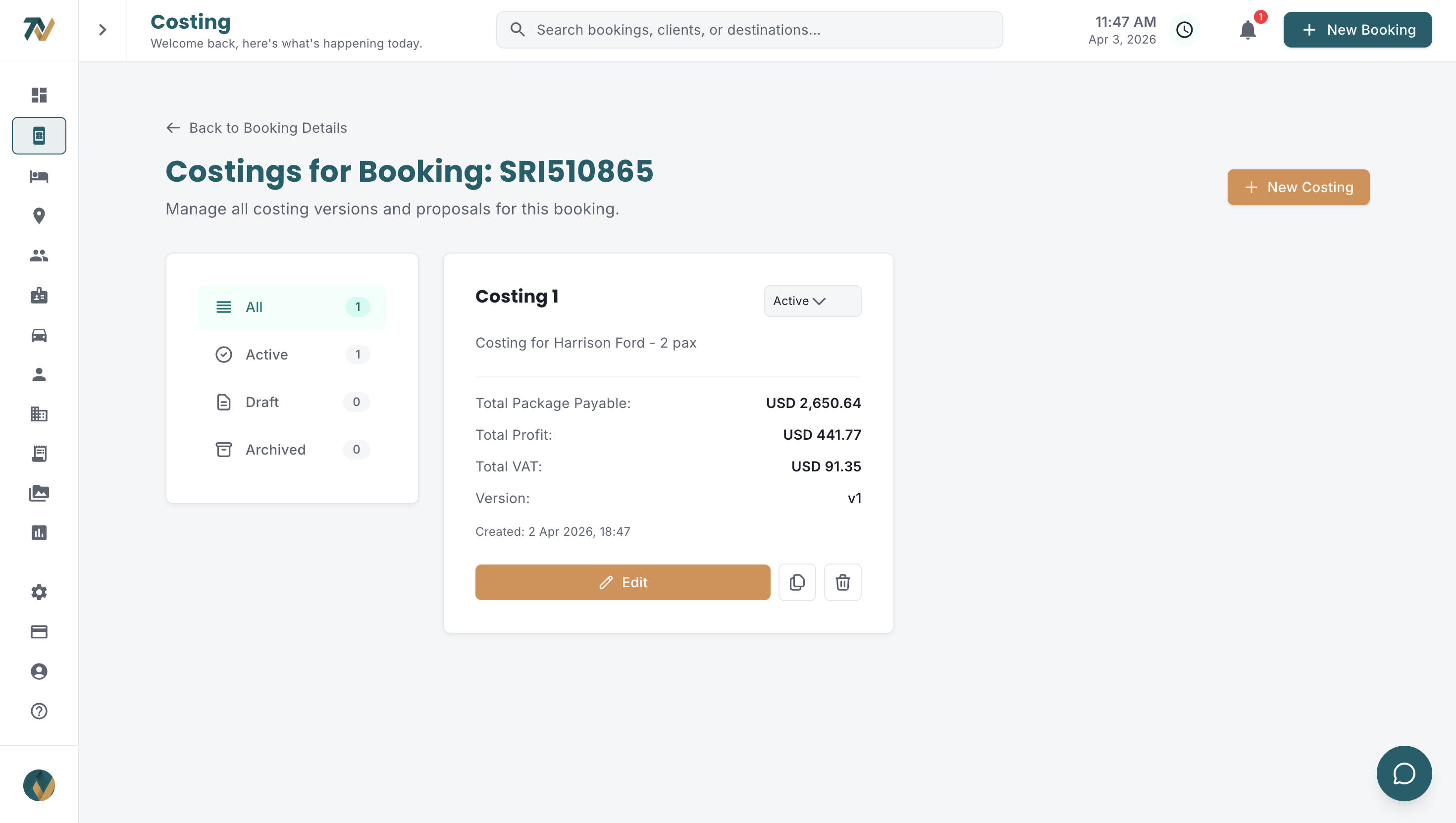
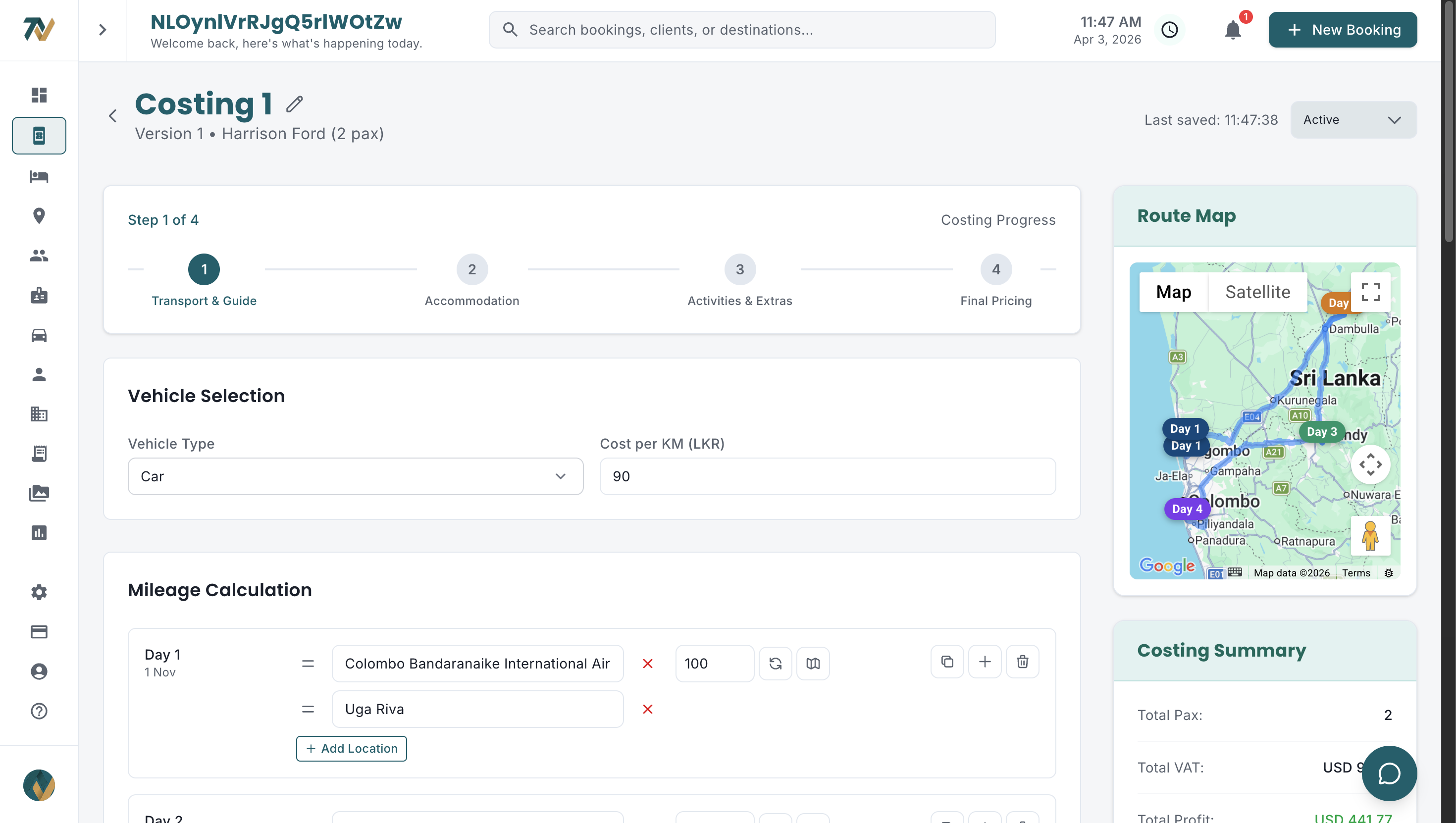
Costing runs as guided steps: transport with automatic distance and mileage by vehicle type at configurable per-km rates, hotels by room type, meal plan and seasonal rate, guides at daily rates, then activities and other expenses. Markup % and VAT are applied, every cost sits in LKR, and a per-costing LKR to USD rate produces the USD selling price. Costings carry Draft, Active and Archived versions (only one Active) and duplicate in one click. On the itinerary, the client can be shown prices in their home currency at a rate frozen on the costing.
Nobody has to start from a blank form. AI auto-fill builds a draft from a typed or dictated description, or in one click from the booking, and can draft a sample itinerary from the company's own past costings. It fills inputs only; every figure still runs through the same calculations, so speed does not cost control. Saved hotel rates are picked straight from the Rate Document Library, agent commission can be set per costing, and designers leave team notes on the costing itself.
Vouchers, transport documents and invoices
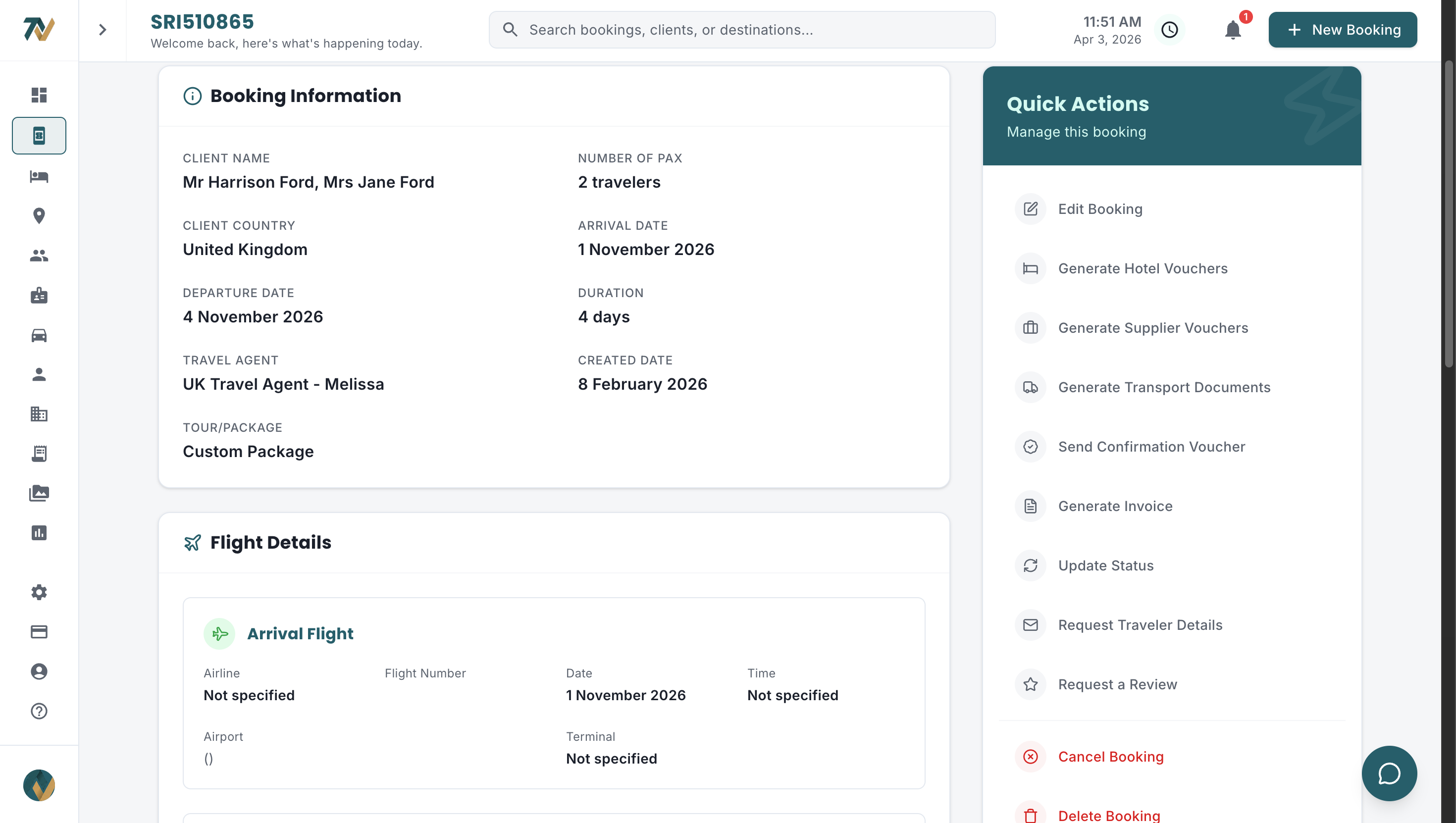
Hotel vouchers and supplier vouchers are generated from the booking data, so nothing is retyped, and the send recipient pre-fills from the matched hotel's reservation email or the supplier's saved contact emails. Each hotel voucher carries a confirmation tick, and a sent voucher left unconfirmed for three or more days triggers a daily reminder until the tick is added (admins can change the threshold and cadence). A Cancellation deadlines view lists every hotel in the booking with the last date to cancel free and the days left, most urgent first. A client-facing confirmation voucher, built from the active costing and itinerary, goes to the client, and transport documents (guide itinerary, tour advance sheet, technical visits), traveler information forms and review requests come from the same booking.
Invoices hold line items, discount, tax or VAT, recorded payments and a live balance due, with one or more of the company's bank accounts shown and an optional online payment link. Everything is emailed from the user's own connected Gmail or Outlook, and the send history is recorded on the document. For the full workflow, see hotel voucher management from chaos to one click.
Settlement and finance
A settlement (the post-tour reconciliation of what was quoted against what was actually paid) is created automatically when a booking is marked Completed. It tracks revenue against actual costs and payments to show real profit: the planned cost from the costing sits beside the actual cost paid for each hotel, activity and guide payment, the variance (over or under budget) is shown per cost category and overall, and the status moves from Open to In progress to Settled. Finance also sees payables (amounts owed to hotels, suppliers and transport, in LKR) created automatically when a hotel voucher is confirmed, a supplier voucher is sent or a tour is closed, plus receivables (every invoice, in USD) with aging buckets. Settlement and profit tracking explains why this is the loop most DMCs never close.
CRM and the Hotel Rate Document Library
Hotels, travel agents (grouped by company with performance stats), suppliers, guides (licence type, languages, rates), vehicles (category, seats, mileage rate, insurance) and customers live in one directory, with spreadsheet, PDF or image imports extracted by AI for review. The hotel record goes further: upload a contract, rate sheet or offer as a PDF, Excel file, image or email text, and AI extracts seasonal rates by date range, occupancy prices, meal plans, policies and cancellation terms.
Those rates are picked inside the costing, where the Hotel Rate Picker can also read the saved policy text and show the free-cancellation cutoff, whether the rate is non-refundable and the tiered penalty schedule, with the date calculated from the check-in date. Hotel brands can carry multi-property combo offers. Procurement's Rate Coverage grid flags in red any month a live costing needs where no rates exist, with expiry warnings for contracts and offers. Hotel rate management chaos covers the problem this solves.
AI assistant and booking extraction
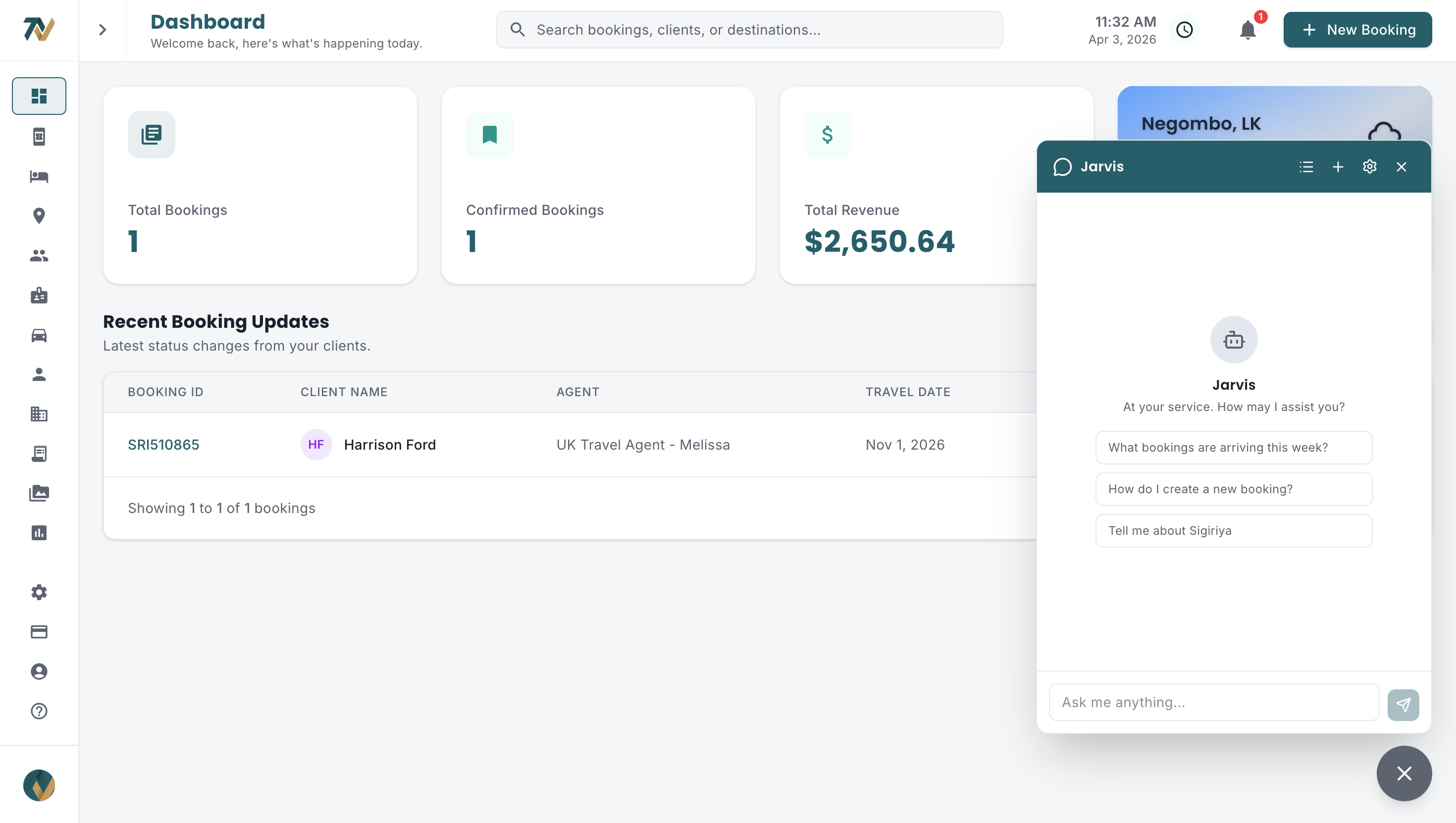
Jarvis, the in-app assistant, answers questions about the company's own bookings and operations in plain language. On the New Booking form, pasting an agent's email or uploading a PDF or image produces a structured draft (travelers, dates, tour, rooms, flights, requests) highlighted for review. In the itinerary builder, AI drafts hotel and activity descriptions following the tone and voice instructions saved in the company's Knowledge Base. Together with costing auto-fill and rate-document reading, AI shortens the three slowest steps between inquiry and quote without touching the pricing maths.
Reporting and roles
Reports run in six tabs (Overview, Bookings, Hotels, Agents, Financial and Customers) over a chosen date range; the Financial set includes monthly P&L by departure month, margin by market, agent and designer, cash in versus out, receivable aging and settlement turnaround. Each team member is an Admin or belongs to one department (Travels, Transport, Procurement or Finance) with a job title that sets the access level, from managers to trainees, and menus adapt to the role. Travels designers see only their own markets, with per-market booking numbering.
How should you evaluate DMC software before buying?
Evaluate DMC software by running one real inquiry through it end to end, not by reading feature lists. Take an enquiry from last week and work through these six steps during the trial:
- Build the real costing. Enter the actual hotels, routes and activities. Does it handle per-night seasonal rates, transport by kilometre and vehicle type, and your markup and VAT without a side spreadsheet?
- Generate the documents. From that costing, produce a hotel voucher, the client itinerary and an invoice. Are they branded, complete and sendable from your own email address?
- Check the currency model. Can costs stay in LKR while the selling price and invoice are in USD at a rate you control per costing?
- Ask the reporting two questions. "Which agent sent the most bookings this quarter?" and "What was our margin last month?" If it cannot answer both, the spreadsheets will survive.
- Time the learning curve. Can a designer quote a tour on day one, or does the product need weeks of training and an implementation consultant?
- Work out the total cost at your team size. Per-seat tools scale with headcount; flat plans do not. Weigh the subscription against the designer hours it returns during the December to March peak.
Before committing, run the candidate alongside your current process for a couple of weeks. Enter the same bookings in both and compare speed, accuracy and completeness. A real parallel run reveals more than any demo or feature matrix.
How much does DMC software cost in 2026?
DMC software in 2026 is priced in one of two ways: per user per month, which is how most global platforms charge, or a flat monthly plan per company, which is how purpose-built tools such as Travify charge. For a 5 to 10 person Sri Lankan DMC with seasonal revenue, the pricing model matters as much as the headline number, because a per-seat bill grows every time a designer is hired for peak season.
Travify runs four flat monthly plans in USD: Solo at $24 for 2 users, Growth at $250 for 5 users, Business at $700 for 15 users (the most popular), and Enterprise from $1,200 for 30 users. Every plan starts with a free trial. Adding a team member inside the bundle does not change the bill, which matters when headcount swings with the season. Current figures and what each plan includes are on the pricing page.
| Team size | Per-seat tool (illustrative example at $300 per user per month) | Travify flat plan | Users included |
|---|---|---|---|
| 2 users | $600 per month | Solo, $24 per month | 2 |
| 5 users | $1,500 per month | Growth, $250 per month | 5 |
| 15 users | $4,500 per month | Business, $700 per month (most popular) | 15 |
| 30 users | $9,000 per month | Enterprise, from $1,200 per month | 30 |
The per-seat column is an illustrative example, not a quote from any vendor. Travify plan prices and included users are set by Travify and can change; the pricing page always shows the live figures, so budget from it rather than from this article.
Compare what sits inside each plan, too. Costing, itineraries, vouchers, invoicing, the directory, departments and AI features are all part of one product in Travify's case (the pricing page lists what each plan includes), whereas generic tools often sell several of those as separately priced extras.
Which approach is right for your DMC?
For most Sri Lankan DMCs under 15 people, purpose-built DMC software is the clearest upgrade from spreadsheets. Larger operators, and those already on a global tool, should audit how much of their workflow the current setup really covers before deciding.
- Small DMC (1 to 5 people) on spreadsheets: purpose-built software adds structure, documents and costing discipline without enterprise complexity, and the Solo or Growth plans fit the budget.
- Mid-sized DMC (5 to 15 people) on spreadsheets plus basic tools: consolidate into one system and gain settlement tracking, departments and AI auto-fill that spreadsheets cannot provide.
- Large DMC (15+ people) with established processes: check whether transport costing, vouchers or settlement still run in parallel spreadsheets. If they do, the established tool is not covering the workflow.
- Already on a global tool: audit actual usage. If a large share of the feature set goes unused while manual workarounds fill the gaps, a tool that covers the Sri Lankan workflow at a flat price deserves a serious trial. Scaling your tour operation describes what changes at each size.
See purpose-built DMC software in action
Travify was designed for Sri Lankan DMCs and inbound tour operators. Start your free trial and test it with a real booking from your pipeline.
Start Free Trialarrow_forwardFrequently asked questions
Ready to Streamline Your Operations?
Join Sri Lankan travel companies already saving hours every week with Travify.
Related Articles
How AI Is Transforming Tour Operations for Sri Lankan DMCs
AI is already practical for Sri Lankan tour operators: it drafts bookings from agent emails, fills costings from a description, reads hotel rate PDFs and answers questions about your own bookings in plain English.
Excel Is Killing Your Tour Costing: Why DMCs Need Software
Excel was never designed for tour costing. Sri Lankan DMCs lose margin to silent formula errors, waste hours hunting rates and risk bookings on version confusion. Here is what dedicated costing software does differently.
How to Scale a Tour Operation from 10 to 100 Bookings a Month
Manual processes that work at 10 bookings a month break at 20, 40 and 80. Here is where Sri Lankan DMCs hit the wall, the six systems that get them past it, and a realistic rollout order.