
Hotel Rate Management for Sri Lankan DMCs: Fix the Chaos
If your hotel rates live in email inboxes, PDF attachments and WhatsApp threads, you are almost certainly quoting wrong prices. Here is how Sri Lankan DMCs centralise seasonal rates and stop the margin leak.
Travify Team
Travel Operations Experts · April 13, 2026 · Updated October 6, 2026
In short: Hotel rate management goes wrong when seasonal rates, meal plans, child policies and cancellation terms live in inboxes, PDFs and WhatsApp instead of one structured library. Sri Lankan DMCs (destination management companies) fix it by holding every hotel's rates as dated seasonal rate cards that feed straight into the costing, so the right rate is applied automatically for the actual travel dates.
It is 9 PM on a Tuesday. A European travel agent asks for a two-week Sri Lanka itinerary for a family of four arriving in December. You need accurate peak-season rates for seven properties, so you dig through three-month-old emails from the Kandy boutique hotel, check WhatsApp for the Galle hotel manager's voice note about a revision, and open the Yala safari lodge's PDF rate sheet, only to find it expired in October. For most Sri Lankan DMCs, the inbound tour operators who build and run tours for overseas agents, hotel rate management is not a system. It is a scavenger hunt, and it eats margin every day.
Key takeaways
- Scattered hotel rates cause the same costing errors again and again: expired rate sheets, the wrong season applied to a stay, missed meal-plan and festive supplements, and child policies overlooked.
- A spreadsheet is better than an inbox but still cannot apply a seasonal rate to a check-in date, feed a costing, or show who changed a rate and when.
- A usable hotel rate library needs five things: one profile per hotel, seasonal rate cards with date ranges, meal plans and supplements, child age brackets, and cancellation terms per rate period.
- Start with the hotels you book most, set a mid-year rate update routine for when Sri Lankan hotels release next year's contracts, and connect the library to your costing tool.
- Travify's Rate Document Library reads uploaded contracts and rate sheets with AI, so the job becomes reviewing extracted rates rather than typing them, and those rates are picked directly inside the costing.
What does disorganised hotel rate management cost a DMC?
Disorganised hotel rates cost a DMC margin on almost every costing, because the wrong rate gets used quietly and nobody notices until the hotel invoice arrives. A mid-sized Sri Lankan DMC works with dozens of hotel partners, and each one has several room types, meal plans (BB, HB, FB, AI), four or more rate seasons and its own rules for children, extra beds and supplements. That is hundreds of rate points per hotel and thousands across the supplier network.
When those rate points sit in emails, PDFs, Excel files on different laptops and WhatsApp threads, using the wrong one is not a question of if but how often. The table below lists the most common failure modes. The dollar amounts are illustrative examples for a typical mid-range package, not measured data; the pattern is what matters. The real cost of tour costing errors covers how these small misses compound.
| Rate management problem | How it happens | Illustrative margin impact per booking |
|---|---|---|
| Using expired rates | Old PDF rate sheet; hotel raised prices 10% | $80 - $200 loss |
| Wrong season applied | Booking spans two seasons; lower rate used for entire stay | $50 - $150 loss |
| Missing meal plan supplement | HB quoted but FB rate used, or vice versa | $30 - $90 loss |
| Child policy overlooked | Free child stay quoted but hotel charges for ages 7+ | $40 - $120 loss |
| Festive season surcharge missed | Christmas/New Year supplement not added | $100 - $400 loss |
| Currency conversion lag | Rate in LKR converted at old USD rate | $20 - $80 loss |
Rate errors compound with volume. A DMC running a few dozen bookings a month through the December to March high season, with even a small share of costings carrying a wrong hotel rate, gives away a meaningful slice of annual margin without a single visible mistake.
Why do spreadsheets fail at hotel rate management?
Spreadsheets fail at hotel rate management because they store numbers without understanding dates, seasons or the costing they feed. A master Excel rate file is a step up from inbox chaos, but it introduces its own problems that become critical as the operation grows, the same ones described in why Excel is killing your tour costing.
- Version control: nobody knows whether the current copy is the one on your desktop, the shared Google Sheet, or the version a colleague edited last week.
- No date-range awareness: a spreadsheet cannot apply the correct seasonal rate to a guest's check-in date; someone has to work out which season applies and find the matching cell.
- No connection to costings: even a correct rate must be copied by hand into the costing, and that manual transfer is where errors creep in.
- Currency lag: hotel costs are held in LKR, but a spreadsheet does not flag when the LKR to USD rate behind the selling price has moved.
- No audit trail: when a shared rate changes there is no reliable record of who changed it, when, or whether it was an official hotel update or a typo.
- Supplement blindness: extra-bed charges, festive supplements, compulsory gala dinners and single-occupancy surcharges live in rate-sheet footnotes and are easy to miss in a grid of numbers.
What does a proper hotel rate management system need?
A proper hotel rate management system needs five things: a single profile per hotel, seasonal rate cards with date ranges, meal plans and supplements, child age brackets, and cancellation policies per rate period. Storing numbers is not enough; the system has to understand how leisure hotel pricing in Sri Lanka actually works.
1. One hotel profile with every room type
Every hotel in your network needs one canonical profile listing its room categories, descriptions, maximum occupancy and amenities. This is the source of truth. When a reservations team member needs to know which room types a Dambulla resort offers, the answer should be one click away, not a phone call or an email search.
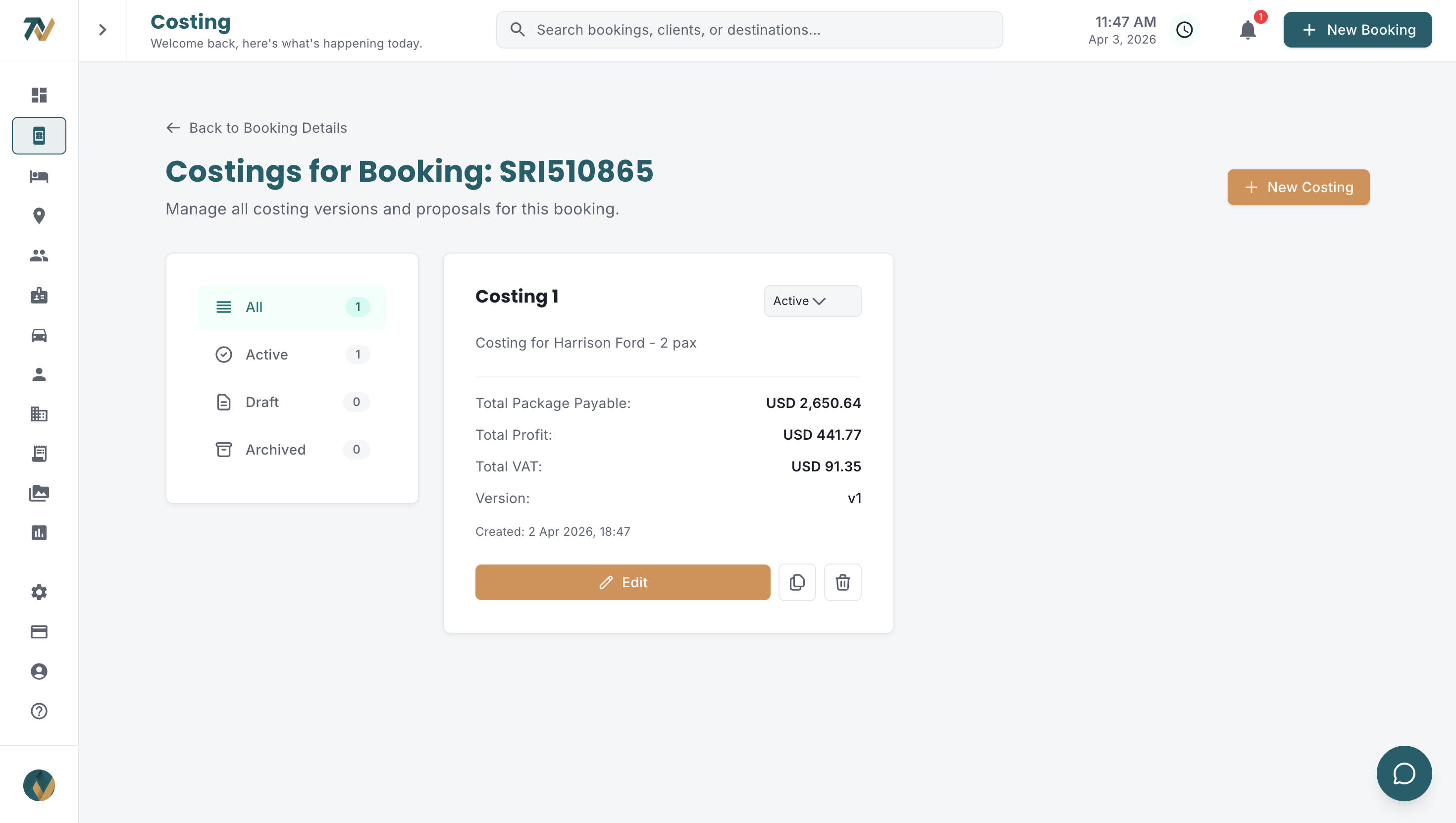
The same profile should hold the hotel's contract terms and payment terms, so the weekly back-and-forth about what was agreed disappears. In Travify the hotel profile carries its reservations, sales and accounts contacts on a Contacts tab, and its bank accounts and credit terms (credit arrangement, credit days, prepayment required and prepayment percentage) on a Financial tab.
2. Seasonal rate cards with date ranges
Sri Lankan hotels price by season, and a typical property has four to six rate periods: low season (roughly May to July), shoulder months (April, August and September), high season (October to November and January to March) and peak or festive season (mid-December to early January). Each has different rates per room type and meal plan.
Rates must be stored as date ranges, so a costing for a guest checking in on 20 December and out on 3 January applies the festive rate to the festive nights and the high-season rate to the rest, with no manual lookup and no guessing.
3. Meal plans and supplements
Meal plans in Sri Lankan hotels run from room-only to all-inclusive, with BB (bed and breakfast), HB (half board) and FB (full board) the most common. Each plan carries its own rate, and the supplement for moving between plans has to be tracked.
Beyond meal plans, the system must hold extra-bed charges (often different for adults and children), single-occupancy supplements, peak surcharges, compulsory gala dinners on Christmas Eve and New Year's Eve, and any property-specific add-ons.
4. Child policies and age brackets
Child pricing is the most error-prone part of hotel rate management because policies vary wildly between properties. Some hotels host children free under 6, others under 12; some charge a flat supplement, others a percentage of the adult rate; some allow one child free but charge for the second. Getting it wrong either overcharges the client and loses the booking, or undercharges and loses margin.
Record each hotel's child age brackets and charges on the hotel profile itself. When the policy sits beside the rates, anyone building a costing sees it immediately instead of asking a senior colleague.
5. Cancellation policies per rate period
Cancellation terms often change with the season. A hotel might, for example, allow free cancellation up to two weeks before arrival in low season but demand 30 days' notice and a one-night penalty in peak season. These terms belong beside the rates so the reservations team quotes agents and travellers the right conditions.
How does seasonal rate chaos play out in a real December booking?
In a December booking, rate chaos shows up as one wrong season, one missed gala dinner and one misread child policy, all on the same costing. Consider a UK travel agent requesting a 10-night tour for two adults and a child aged 8 from 22 December 2026 to 1 January 2027, across three hotels:
- Colombo city hotel (1 night): festive-season rates apply.
- Kandy boutique hotel (2 nights): festive-season rates apply.
- Southern coast beach resort (7 nights): festive rates plus compulsory gala dinner supplements on 24 and 31 December.
Without a central rate library, the team member must find the current rate sheet for each hotel and confirm it is still valid, work out which season applies to each check-in date, look up the right room type and meal plan rate, check the child policy for an 8-year-old at each property, add every supplement, and convert the LKR cost to the USD selling price. That is a long stretch of careful work per costing, with an opportunity for error at every step, and peak season from December to March multiplies the pressure.
With a proper rate library the same task takes a fraction of the time. You select the hotel, enter the dates, and the system pulls the correct seasonal rate, applies the meal-plan price, uses the stored child policy and flags mandatory surcharges. The rates flow into the costing with no retyping.
How do you build a hotel rate database step by step?
Build a hotel rate database in three phases: load your most-booked hotels first, set a rate update routine, then connect the library to your costing tool. Moving off emails and spreadsheets feels overwhelming only if you try to do everything at once.
Phase 1: Start with the hotels you book most
You do not need to onboard every partner on day one. Start with the twenty or so hotels you use most often; for most Sri Lankan DMCs a small group of properties accounts for the bulk of bookings. For each one, enter the property details, room types, current rate cards with seasonal date ranges, meal plan options, child policies and cancellation terms.
Phase 2: Establish a rate update workflow
When a hotel sends updated rates, a named team member should load them the same week; rate sheets must not sit in inboxes. Most Sri Lankan hotels release contracts for the following year around mid-year, so put a calendar reminder in place to request rate sheets from every partner hotel during that window rather than waiting for them to arrive.
Each time you load a hotel's new rates, verify six things: (1) the validity date range matches exactly, (2) every room type is covered, (3) every meal plan is included, (4) child policies are current, (5) cancellation terms are updated, and (6) any new supplements or surcharges are added. Missing one element causes costing errors for months.
Phase 3: Connect rates to costings
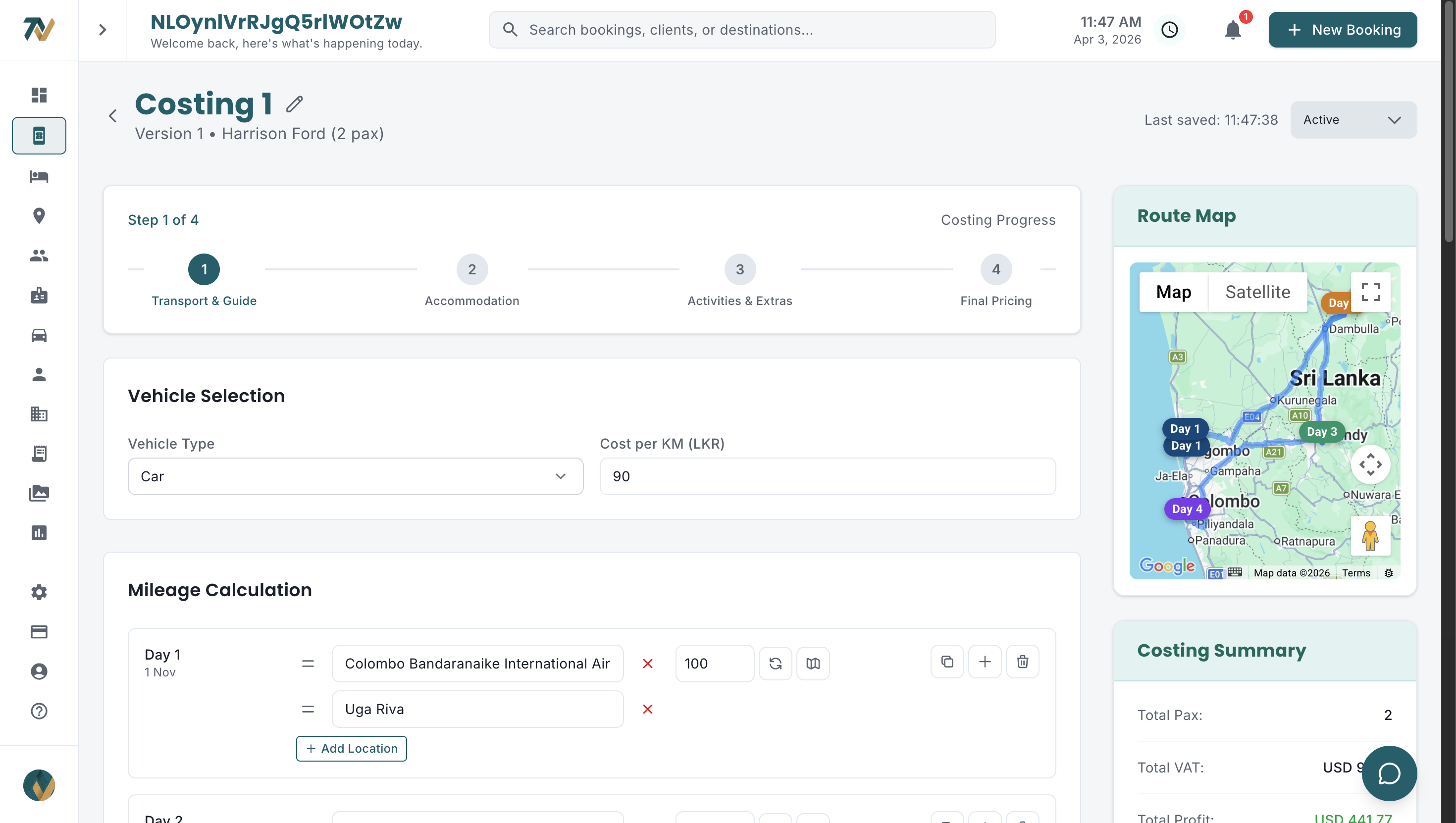
The payoff arrives when the rate database feeds the costing directly. Instead of typing hotel costs, you choose the hotel and room type, enter the dates, and the accommodation total is calculated with the correct seasonal rate, meal plan and supplements. The complete guide to tour package costing shows where hotel costs sit within the full costing.
What should you look for in hotel rate management software?
Hotel rate management software for a Sri Lankan DMC should store rates by date range, understand meal plans and child policies, and push rates into the costing without retyping. Generic hotel CRMs rarely do all three. The features that matter:
- Hotel profiles with room types and contact details
- Seasonal rate cards with flexible date ranges, not fixed calendar months
- Several meal plans per room type, each with its own price
- Child age brackets with configurable pricing rules
- Supplement handling for extra beds, single occupancy and festive surcharges
- Cancellation policy stored per rate period
- Direct connection to the costing tool, so rates auto-populate
- LKR hotel costs converted to a USD selling price at a rate you control per costing
- Rate validity and coverage indicators, so you know before rates expire
- Search and filter by location or hotel type
Travify keeps one profile per hotel, shown as a card with its star rating, location, room types, amenities and price range and searchable by name, city or country, and holds every hotel's seasonal rates, occupancy prices, meal plans, policies and cancellation terms in its Rate Document Library, where they are picked directly inside the costing. The Procurement department's Rate Coverage grid shows each hotel by month for the next twelve months and marks in red any month a live costing needs but has no rates for. See how the Travify modules fit together.
How does Travify turn hotel contracts into costing-ready rates?
Travify turns a hotel contract into costing-ready rates by reading the uploaded document with AI and placing the extracted seasonal rates in the hotel's rate library, where the costing picks them up. This removes the obvious objection to everything above: somebody still has to type the rates in. A twelve-page contract with four seasons, six room types and three meal plans is a morning's work per property, and multiplied by eighty hotels the single source of truth becomes a project nobody finishes.
Each hotel in Travify has a Rate Document Library. Upload the contract, rate sheet, seasonal offer or amendment as a PDF, spreadsheet, photographed page or text pasted from the email, as one file or several combined into a single document when a rate sheet spans multiple pages or screenshots, and AI extracts the rates by season and date range, the occupancy prices, the meal plans, the policies and the cancellation terms. Names, periods and terms are copied verbatim from the document with no tidying up, a progress bar shows live status while the extraction runs, and duplicate uploads are detected so you are warned before saving a document you have already uploaded. Your job becomes reviewing what was extracted rather than typing it.
The result is not a stored PDF you still have to read. The extracted rates appear in the hotel's Rates tab, and in the costing's accommodation step a saved-rate picker ranks them by how well they match the booking you are building: the travel date falling inside the rate's season, plus matching meal plan, room category and occupancy. Click a rate and it fills the nightly price and links the hotel to the costing. Draft, Active and Archived costing versions keep the quote history tidy as rates change.
Because cancellation terms are extracted alongside the rates, they sit beside the rate you pick instead of in a PDF nobody reopens. In the rate picker, toggle the cancellation-deadline view and Travify reads the hotel's saved cancellation and payment policy text and shows the free-cancellation cutoff for that stay, whether the rate is non-refundable, a one-line summary and the full tiered penalty schedule; the send-by date and days left are calculated from the check-in date. The Hotel Vouchers page lists the same deadline for every hotel in the booking, most urgent first. Cancellation terms are the most expensive thing buried in a rate document, because nobody rereads the contract once the rate has been copied out.
Brands and combo offers
Sri Lankan hotel groups routinely give an extra discount when several of their properties appear in one itinerary, and that discount is easy to forget under time pressure. Group properties under a brand in Travify and the multi-property combo offer is held against the brand, captured automatically when you upload the chain's combo rate document rather than created by hand. When a costing includes several hotels from the same brand, Travify shows a banner with any qualifying combo offer; click Apply and the eligible room rates are recalculated with the extra discount. Offers carry rules, for example a discount may apply only to certain meal plans, so not every room will always qualify. That is margin you already negotiated and were losing to memory.
Rates feed vouchers, payment terms and expiry warnings
Because rates and terms live on the hotel, downstream work inherits them. Procurement sees contract and offer expiry warnings with configurable lead days, Finance can have AI read a hotel's rate document into proposed deposit, balance and credit-day terms for a manager to confirm, and hotel vouchers carry their cancellation deadlines. Plans and user counts are on the pricing page.
What improves once hotel rates are centralised?
Centralising hotel rates improves quoting speed, pricing consistency, supplier negotiations, margin confidence and staff onboarding, not just costing accuracy.
- Faster quoting: costings that used to begin with a long hunt for rates are built in a fraction of the time, so you answer agents sooner and win more bookings.
- Consistent pricing: every team member quotes from the same source, which ends the "it depends on who did the costing" problem.
- Better supplier negotiations: you can see which hotels offer the best value by season and commit volume where it pays.
- Confident margins: accurate hotel costs let you price packages precisely instead of padding margins just in case.
- Easier onboarding: new designers build costings on day one because rate data is structured and shared, not locked in a senior colleague's inbox.
Ready to end the rate scavenger hunt?
Upload your hotel contracts and let AI turn them into structured, costing-ready rates: seasons, occupancy pricing, meal plans and cancellation terms included, for every property in your network. Every plan starts with a free trial.
Start your free trialarrow_forwardFrequently asked questions
Ready to Streamline Your Operations?
Join Sri Lankan travel companies already saving hours every week with Travify.
Related Articles
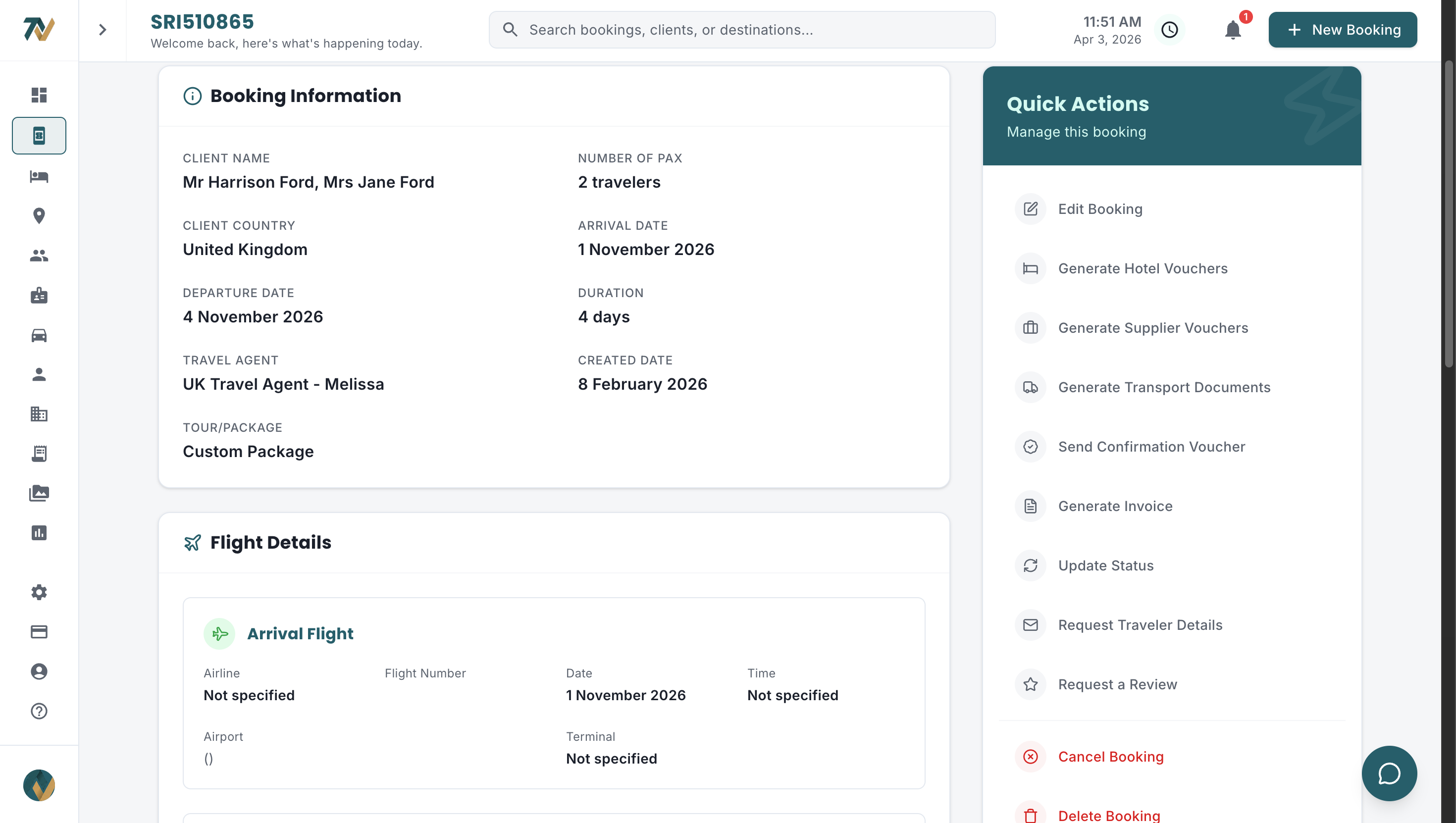
Hotel Voucher Management for DMCs: From Chaos to One Click
Hotel vouchers are the workhorses of tour operations. When they are wrong, late or missing, the cost ranges from embarrassing to expensive. Here is how Sri Lankan DMCs fix the voucher process.
Tour Package Costing: Step-by-Step Guide for Sri Lankan DMCs
Every cost component of a Sri Lankan tour package, worked on a 7-night, 2-pax circuit: hotels, mileage, activities, guides, supplements, markup, VAT and currency conversion, with the formulas in the right order.
Tour Costing Errors: What They Really Cost a Sri Lankan DMC
A wrong hotel season, a missed half-board supplement, a forgotten park fee: small tour costing errors compound into lost margin on every booking. Here is what they cost Sri Lankan DMCs and how to stop them.