
Invoice Generation for DMCs: Bill Straight From the Costing
Rebuilding each invoice in Word from a costing spreadsheet costs Sri Lankan DMCs days a month and invites bank-detail, VAT and version errors. Here is how to bill straight from the booking costing instead.
Travify Team
Travel Operations Experts · April 13, 2026 · Updated October 6, 2026
In short: Invoice generation for DMCs works best when the invoice is built from the booking costing instead of retyped in Word. The costing already holds the client, dates, line items and USD selling price, so a connected system turns it into a branded invoice in minutes, attaches the right bank details and VAT, records payments against it, and shows balance due and overdue status without a spreadsheet.
A destination management company (DMC) is the local operator that builds and runs tours for overseas travel agents. Picture a Sri Lankan DMC that has just finished costing a 12-day tour for six travelers: eight hotels from Negombo to Galle, transfers, guided excursions, park fees and a domestic flight. The costing took an hour. Rebuilding it as an invoice in Word can easily take another half hour, and every revision repeats the job.
For an inbound tour operator handling dozens of bookings a month, that retyping adds up to days of billing work and a steady stream of avoidable errors. This guide covers what goes wrong with manual invoicing, what generation from booking and costing data looks like, and how to handle deposits, revisions and sending.
Key takeaways
- Build invoices from the booking costing, not from a Word template, so the client, dates, line items and USD selling price are never retyped.
- Store every bank account once with its SWIFT/BIC and IBAN and select it per invoice; a wrong account number delays payment by days or weeks.
- Use one booking with several invoices (deposit, balance, on-ground extras), each with its own recorded payments and balance due.
- Let Overdue be derived from the due date and the outstanding balance rather than a status someone must remember to change.
- Send each invoice from your own connected Gmail or Outlook so the send history sits on the booking, not in one person's sent folder.
Why does manual invoice generation cost Sri Lankan DMCs so much time?
Manual invoicing is slow because every invoice re-enters data that already exists in the costing, then adds lookups for bank details, tax and payment terms. As an illustrative example, if each invoice takes 30 minutes and a DMC issues 50 a month, billing alone consumes 25 hours: more than three working days of copying numbers from one document into another.
The cost is not only time. Each manual step is a chance to send the wrong SWIFT code, miss a line item or dispatch a superseded version. Every mistake triggers a correction cycle with the travel agent (the B2B partner who resells your tours), and each cycle pushes payment further out.
What goes wrong when a DMC builds invoices by hand in Word or Excel?
Seven problems recur whenever invoices are built by hand: double data entry, inconsistent formatting, bank-detail errors, wrong tax, no tracking, painful revisions and no link to payments. Each one damages professionalism, accuracy or cash flow.
1. Double data entry
Every cost is already in the costing. Re-entering the client name, travel dates, room types, rates and supplements in a different format is a second opportunity for transposition errors, missed line items and wrong totals.
2. Inconsistent formatting
Word and Excel templates drift with every person who uses them. Fonts shift, columns misalign and the logo moves. International travel agents notice, and the inconsistency undercuts the professional image a Sri Lankan DMC needs to win repeat business.
3. Bank detail errors
Most Sri Lankan DMCs hold more than one account, often USD, EUR and LKR accounts at different banks, each with its own SWIFT code and IBAN. An invoice with the wrong details delays payment by days or weeks, and a transfer into the wrong account creates a reconciliation problem out of all proportion to the typo.
4. Missing or wrong tax calculations
VAT and tourism-related levies in Sri Lanka have changed several times in recent years. Calculating tax by hand on each invoice risks the wrong rate, a miscalculated amount or an omitted line, which creates problems with both clients and the tax authority.
5. No invoice tracking
When invoices live as files on one person's computer, nobody can see which are draft, sent, paid or overdue. Chasing payment becomes a manual search through email sent folders and bank statements.
6. Revision nightmares
Hotels get swapped, nights get added and rooms get upgraded. Each change means opening the old file, editing it, re-checking the total and saving a new version, while hoping nobody sends the old one. Version confusion is common and expensive.
7. No connection to payments and settlements
An invoice is the starting point of financial tracking: how much has the client paid, what is outstanding, and how does the invoiced amount compare with actual costs? Disconnected invoices force manual reconciliation to answer any of these. For the cost side of that question, see settlement and profit tracking for tour bookings.
What does invoice generation from booking and costing data look like?
Modern invoice generation means the invoice is produced from the booking and costing that already exist, not from a nicer template. The costing is the single source of truth for client, dates, line items, tax and selling price, so the invoice inherits its accuracy.
Auto-population from the costing
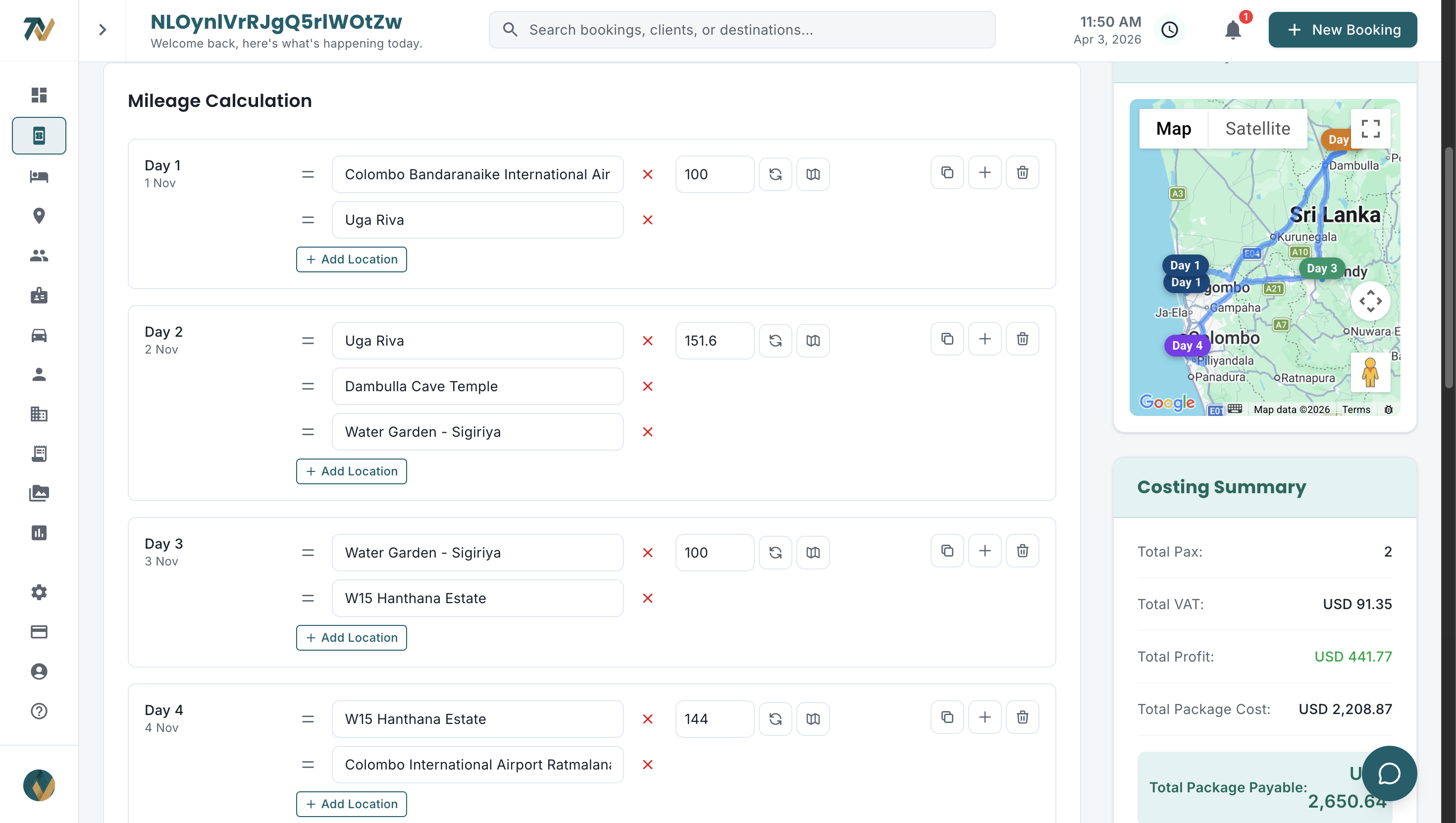
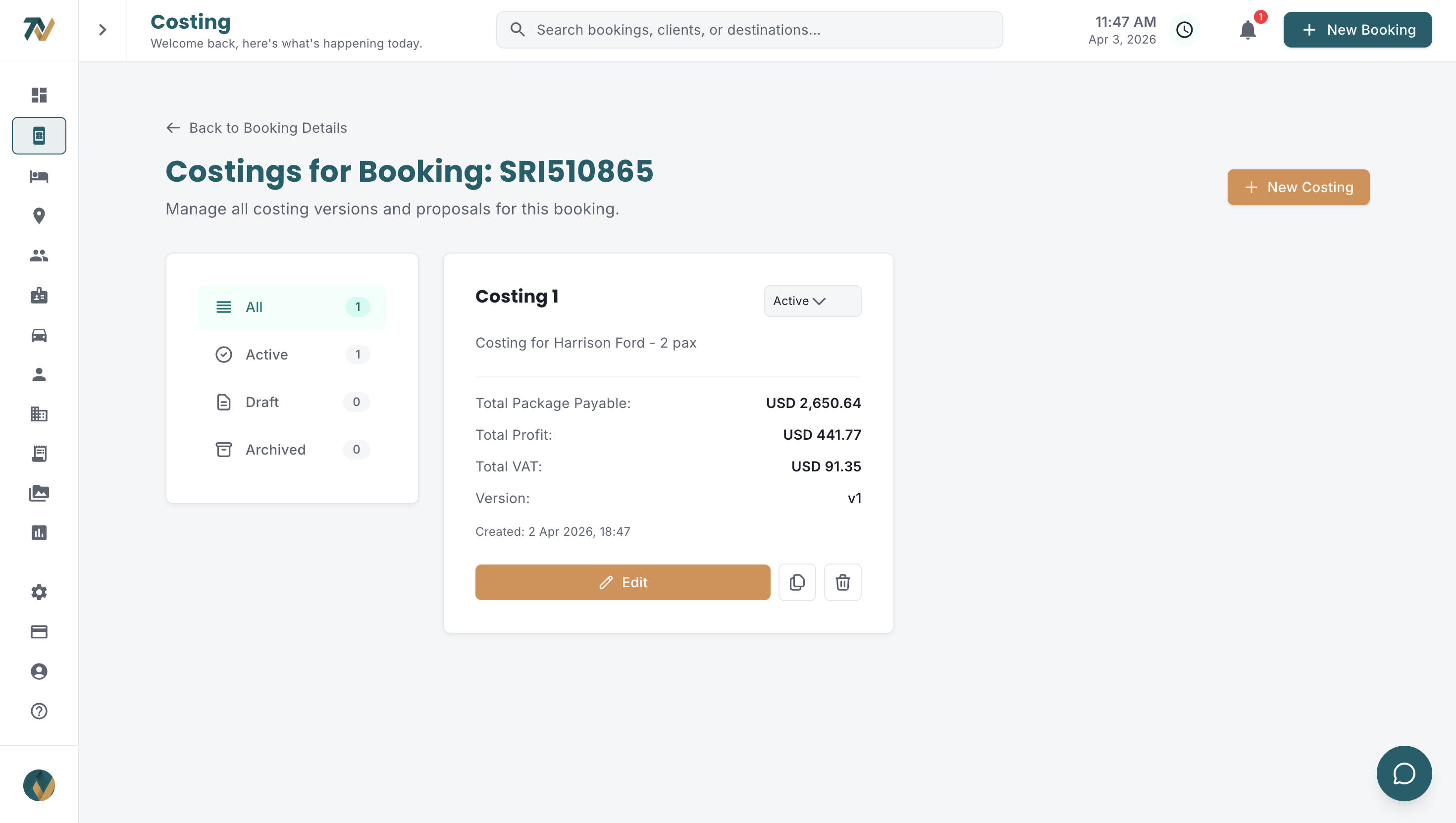
Creating an invoice becomes one action: pick the booking's active costing, and the customer name, travel dates, cost breakdown, totals and taxes are seeded from it. If the costing was reviewed and approved, the invoice is right by default. The complete guide to tour package costing explains how that costing is built in the first place.
Professional branding and a consistent layout
Invoices should look as polished as your itineraries, with the logo, legal entity details and contact information fixed in the template rather than pasted in each time. A consistent invoice template should carry:
- Company logo and brand colors applied automatically
- Company registration number, tax ID and legal entity details
- Customizable header and footer text
- Typography and layout that stay identical across every invoice
- Your company clauses (terms of service, liability limitations) appended automatically
Multiple bank accounts with SWIFT and IBAN
Set up each account once, with account number, SWIFT/BIC code, IBAN, bank address and any intermediary bank, then select the right account when you create the invoice. No more looking up codes or risking a transposed digit.
If most of your USD invoices are paid into one account, make it the default and override it only when needed. The default removes a selection step from the bulk of your billing.
Flexible cost breakdown and tax handling
Different agents and markets expect different detail. Some want one package price; others want accommodation, transfers, excursions and guide fees itemized. Your invoicing should group or itemize as needed, apply VAT as a percentage or a fixed amount (or none for certain transactions), and offer predefined payment terms such as 30 days net or 50% deposit.
Payment status you do not maintain by hand
An invoice should report where it stands without anyone updating a spreadsheet column. The clean model is Unpaid or Paid, with Overdue derived automatically once an unpaid invoice passes its due date with a balance owing. Payments are recorded against the invoice as they land, and the balance due recalculates immediately.
How do you handle deposit, balance and revision invoices on one booking?
Issue several invoices against the same booking, each tracked independently: a deposit invoice at confirmation, a balance invoice before arrival and a final invoice for on-ground additions after departure. Every invoice stays linked to the parent booking, so the booking's total paid and outstanding are always visible.
The invoice duplication shortcut
Duplicating an existing invoice and editing the differences is faster than building a new one, even with auto-population. It pays off most for series groups (same itinerary, same travel agent, different dates) and for repeat clients, where most line items are unchanged.
Revisions without version confusion
When a booking changes, edit the invoice in the system and regenerate the PDF rather than saving another Word file. The booking holds one current version of each invoice, and a record of what was sent and when, so nobody has to guess which file the agent received.
How should a DMC send invoices to travel agents?
Send the invoice from inside the booking, using your own connected email account, with the PDF attached and the send recorded on the booking. Downloading a PDF, opening a mail client, composing a message, attaching the file and typing the address is five steps that an integrated workflow collapses into one.
Put the due date, amount and bank details in the email itself, not only in the PDF attachment. Travel agents who receive many invoices a day can then process payment without opening the file.
How much time does automated invoicing save compared to manual billing?
Automated invoicing removes most of the per-invoice work because data entry, bank details, tax and formatting are handled once, at setup. The table below is an illustrative example of where the minutes go; the figures are not a measured benchmark and your own times will vary.
| Invoicing task | Manual process (illustrative) | Automated process (illustrative) |
|---|---|---|
| Create invoice from costing | 25-40 minutes | 2-3 minutes |
| Add correct bank details | 3-5 minutes (lookup + verify) | Instant (pre-configured) |
| Apply tax calculations | 5-10 minutes (manual calculation) | Instant (auto-calculated) |
| Format and brand the document | 5-10 minutes | Automatic (template-based) |
| Create a revised invoice | 15-25 minutes (rebuild) | 2-3 minutes (edit and regenerate) |
| Send invoice to client | 5-8 minutes (download, email, attach) | 1 minute (send from system) |
| Total per invoice | 43-73 minutes | 5-7 minutes |
On those illustrative numbers, a DMC issuing 50 invoices a month would spend days on billing by hand and hours with automation. The difference goes into answering inquiries faster, which matters because Sri Lankan DMCs lose bookings to slow agent replies, and into building new agent relationships.
Why should company clauses appear on every invoice automatically?
Standard terms belong on every invoice: payment deadline, cancellation policy, liability limits and dispute procedure. When clauses are pasted by hand or forgotten, the DMC carries the risk. Define them once in the system so each invoice carries them without anyone having to remember.
How Travify generates invoices from the booking costing
Travify builds the invoice inside the booking file, so it is created, paid and reconciled next to the costing it came from. The workflow runs like this:
- Open the booking and click New Invoice. Under Build from Costing, pick a costing (active costings are starred) to seed one editable line item at that costing's VAT-inclusive total, with the booking's completed payments pre-seeded; pick none to start from an empty invoice for an ad-hoc charge.
- Edit the line items, add a fixed or percentage discount and, if needed, a tax/VAT line: none is added automatically when you build from a costing, because its total already includes VAT. Invoices are in USD; the costing holds costs in LKR and converts them at its own LKR to USD rate.
- Tick one or more company bank accounts to show on the invoice (leave all unticked and your default or currency-matched account shows automatically) and, optionally, attach a Pay Online payment link, which appears on the preview, PDF and email.
- Preview, then email the invoice from your own connected Gmail or Outlook to one or more recipients, with CC and BCC. Every send is recorded in the email history on the booking, with date, time, sender, inbox and addresses.
- Record payments as they arrive (date, method, reference, amount). The balance due recalculates, the invoice turns Paid when it reaches zero, and Overdue appears automatically once an unpaid invoice passes its due date with money owing. Use Duplicate to copy an invoice for a series group or a repeat agent.
- Finance sees every invoice as a receivable with paid and outstanding amounts in aging buckets, and is reminded before an unpaid invoice falls due and again once it is overdue, on days an admin sets to match your payment terms. When the booking is marked Completed, a settlement opens to compare revenue with actual costs.
Costs stay in LKR and selling prices in USD throughout; multi-currency tour pricing explains how that conversion works. See Travify plans and pricing, or how invoicing fits the end-to-end operations workflow from inquiry to settlement.
Stop spending days a month on invoicing
Travify generates invoices directly from your booking costing, with the bank details, VAT and recorded payments in one place. Multiple invoices per booking, live balance due, online payment links and sending from your own inbox are all included, starting with a free trial.
Start your free trialarrow_forwardFrequently asked questions
Ready to Streamline Your Operations?
Join Sri Lankan travel companies already saving hours every week with Travify.
Related Articles
Tour Settlement and Profit Tracking for Sri Lankan DMCs
You quoted a healthy margin on a 10-day tour, but once the supplier invoices arrived the earned margin was lower. Per-booking settlement shows exactly which cost line took the difference.
Tour Package Costing: Step-by-Step Guide for Sri Lankan DMCs
Every cost component of a Sri Lankan tour package, worked on a 7-night, 2-pax circuit: hotels, mileage, activities, guides, supplements, markup, VAT and currency conversion, with the formulas in the right order.
Multi-Currency Tour Pricing for Sri Lankan DMCs: LKR to USD
Costs in LKR, selling prices in USD: every stale rate, decimal slip and double conversion chips away at tour margins. A practical guide to one-rate-per-costing pricing for Sri Lankan DMCs.